

Set up Katalyst with Kai
The first twenty minutes with a new tool usually teach you nothing. You fill in fields, grant permissions, and arrive at a dashboard with no idea what it will do for you. Katalyst’s setup is a conversation instead, and the point of the conversation is that you leave it understanding the product, not just having configured it.What to expect
- Timing. 15 to 25 minutes, and you can leave in the middle without losing your place.
- Prerequisite. Admin access to your Salesforce org (or a colleague who can approve the connection), and your work email and calendar.
- Outcome. A connected, paid, covered, tuned workspace with a first wave of work already waiting, and a working mental model of what Katalyst is going to do on your behalf.
Step-by-step
- Name the team, then connect Salesforce. Kai starts with your organization, then asks for the CRM, explaining why first: once your pipeline is in, every move it makes is anchored to a live deal rather than floating beside it. Connect it and watch the pipeline get mapped and the open opportunities indexed.
- Connect email, then calendar. Each step tells you what it will do with the access before it asks. Email gives it what’s actually happening underneath each deal; calendar turns each meeting into a window it can prep you for and follow up on.
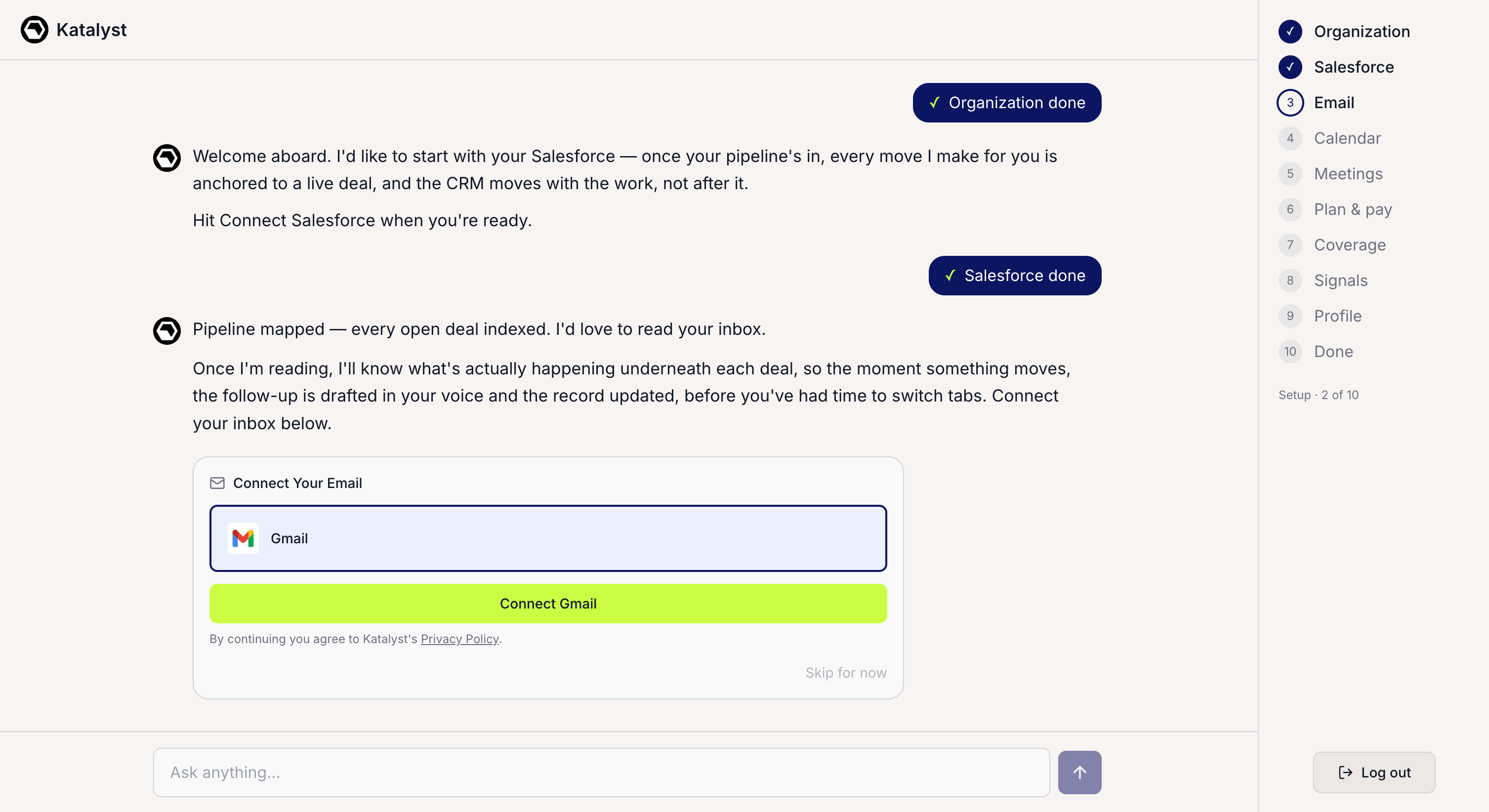
The Kai conversation with the progress rail on the right, marking done, active, and upcoming steps.
- Ask Kai the question you’re actually wondering about. This is the step most people skip and the one that pays. The composer is open the whole way through. Ask whether Katalyst will touch your renewal book, how signals get scored, what happens to your call transcripts, whether your manager can see your pipeline. You will never again have this much of the product’s attention.
- Add a notetaker. Pick the Katalyst recorder or point it at the one you already use. This is what turns meetings into working memory: follow-ups drafted before you’ve left the call, records updated without you opening Salesforce.
- Pick a plan and pay. The Plan & pay step sits inside the flow rather than after it, so you choose your tier with the seat count and cost in front of you and don’t hit a paywall on day two.
- Point coverage at the deals that matter. The Coverage step asks which opportunities Katalyst should work on first. Choose narrowly. Linked accounts and contacts come along free, so this is a question about deals, not records, and a focused set produces suggestions your team will actually review in week one.
- Choose your signals and rank them. Enable the types worth watching for your book. The common ones (funding, hiring, leadership) are pre-selected as a starting point; drag the one that actually moves your deals to the top.
- Read the company profile and correct it. While you were connecting things, Katalyst read your website: your positioning, your ICP, your competitive context. What it shows you now is the voice every future draft will be written in. Two minutes of correction here is worth more than any prompt-tuning you will do later.
- Invite the team, or go in alone. The last step opens the workspace up to whoever else should be in it. You can skip and add them later.
Patterns that work
Treat the composer as the point, not the decoration. Reps who ask Kai two or three real questions during setup arrive understanding what the product does for them. Reps who click through in silence arrive with an account that is configured but not understood, and they churn at week three because they never found the thing that would have hooked them. Leave mid-flow if you need to. Setup resumes exactly where you stopped. Rushing the calendar step because you have a standup in four minutes is strictly worse than coming back to it afterwards. Choose coverage narrow on day one. The instinct is to select everything so nothing gets missed. What actually happens is a queue nobody works. Start with the deals you are genuinely selling this quarter and widen once the suggestions are earning their keep. Don’t skip the profile step because it’s last. It is the step that determines whether every email Katalyst drafts sounds like your company or like generic software, and it arrives exactly when you have run out of patience. Push through it anyway.Related
- Onboarding with Kai - the surface this play walks through.
- Plans and Billing - the tiers behind the in-flow Plan and pay step.
- AI-active coverage - the coverage decision, revisited any time afterwards.
- Signals Settings - tuning the signal choices you made during setup.
- Connect Salesforce, Gmail and Calendar - wiring the connectors outside the guided flow.
- Onboard a new teammate - the admin side, once you’re in.