

Onboarding with Kai
Setting up Katalyst is a conversation, not a form. Kai, the setup assistant, asks for one thing at a time, tells you what it will do with each piece, and moves on. A progress rail on the right tracks where you are across the whole flow, and if you close the tab halfway through, you pick up exactly where you stopped. The design goal is that by the time you land in your workspace, you already understand what the product does for you, because you had a conversation about it rather than filling in fields.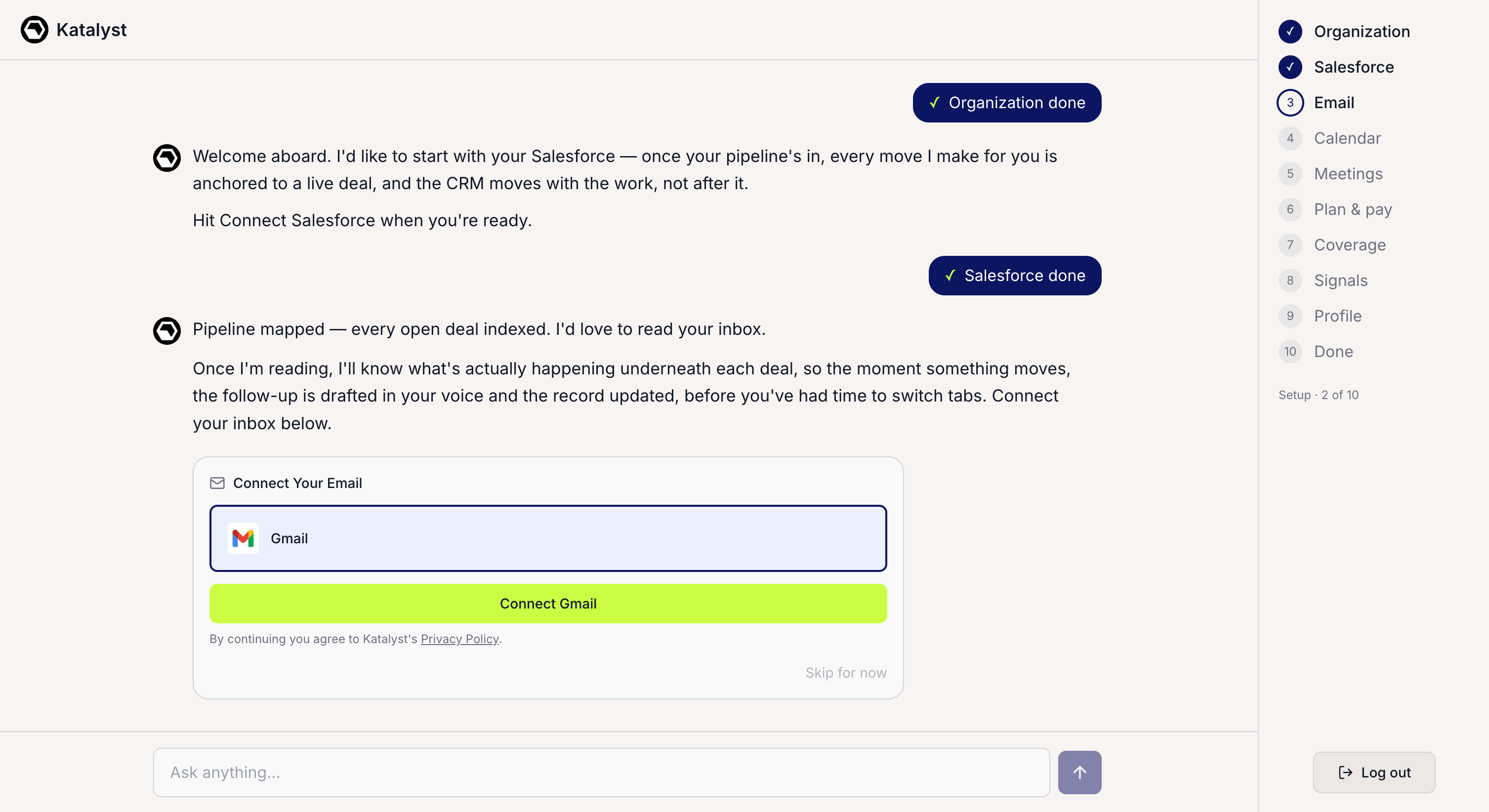
The Kai onboarding conversation with the step progress rail on the right
What you can do here
- Connect your stack, one step at a time. The flow runs in a deliberate order, each connection making the next one more useful: your organization, Salesforce, email (Gmail or Outlook), calendar, and a meeting notetaker. Kai explains what it will do with each before asking for it.
- Ask Kai anything while you set up. The composer stays open the whole way through. If you want to know whether Katalyst will cover your renewal deals, how signals get scored, or what happens to your data, ask in the same thread and get an answer on the spot. This is the part that makes onboarding feel like briefing a teammate rather than configuring software.
- Pick your plan and pay in-flow. A Plan & pay step sits inside the conversation, so you choose your tier and complete payment before finishing setup rather than hitting a wall on day two.
- Choose what the AI works on first. A Coverage step follows payment, letting you hand-pick the opportunities Katalyst should work on from day one instead of pointing it at everything.
- Choose the signals you want watched. A Signals step lets you enable the types worth watching for your book, with the common ones (funding, hiring, leadership changes) pre-selected as a starting point and drag-to-reorder for priority. Your monitoring is tuned before you ever reach the dashboard.
- Confirm the voice Katalyst writes in. While you’ve been connecting things, Katalyst has been reading your website in the background: your positioning, your ICP, your competitive context. The Profile step shows you what it inferred and lets you correct it. Every draft and recommendation from that point lands in that voice.
- Track progress, and leave whenever you need to. The rail on the right marks each step done, in progress, or still ahead, and completed steps stay clickable if you want to revisit one. If you close the tab mid-setup, Katalyst resumes from the right step when you come back rather than restarting you.
How to use it
A new rep signs in for the first time on a Monday morning. Kai asks for the team name, then Salesforce, explaining that once the pipeline is in, every move it makes will be anchored to a live deal. She connects it and watches the pipeline get mapped. Email is next; Kai tells her what it will do once it can read the thread history, and she connects Gmail. Halfway through the calendar step she wonders whether Katalyst will touch her renewal book at all, so she types the question straight into the composer and gets a straight answer. She gets pulled into a standup, closes the tab, and comes back after lunch to find the rail exactly where she left it. She picks a plan, points coverage at the fifteen deals she’s actually working this quarter, keeps the pre-selected signal types and drags hiring to the top, confirms the company profile Katalyst drafted from her website, and lands in her workspace with a first wave of work already waiting.Patterns that work
Answer the questions you have, in the thread. The composer is not decoration. Reps who ask Kai two or three questions during setup arrive in the workspace understanding what the product will do for them; reps who click through in silence arrive with an account that is configured but not understood. The setup is the cheapest time you will ever have to ask. Don’t skip the profile step. It’s the last one and the easiest to rush, and it’s the one that determines whether every draft afterwards sounds like your company or like generic software. Read what Katalyst inferred from your site and correct anything that’s off; it costs two minutes and it shapes everything downstream. Point coverage narrow on day one. The Coverage step invites you to choose, and the temptation is to select everything. A focused set of deals produces suggestions your team actually reviews in week one, which is what determines whether Katalyst sticks. Leave mid-flow without worrying. Setup resumes from where you stopped, so there’s no reason to push through a step you’d rather do properly later. Connecting a calendar badly because you were in a hurry is worse than coming back to it after your standup.Related
- Integrations - the same connectors, managed after setup rather than during it.
- Plans and Billing - the tiers and pricing behind the in-flow Plan and pay step.
- AI-active coverage - the coverage decision, revisited any time after onboarding.
- Signals Settings - where the signal choices made during setup are tuned afterwards.
- Team and permissions - inviting the rest of the team once you’re in.
- Connect Salesforce, Gmail and Calendar - the connector play, if you’d rather wire things up outside the guided flow.