

Build your daily focus list
The play
Do This Now is the AI’s contribution to your morning: it picks the three highest-leverage items across your book automatically, no setup needed. But the rest of your daily landing experience, the table you open after Home, the sidebar list of accounts you check first, is configurable, and most AEs leave it as the default for months before realizing they can tune it. This play is the 12-minute setup that pays off every morning for the next quarter: you save the views you actually use on Opportunities, star the accounts and deals worth daily attention, and the Home + Opportunities pair becomes a landing experience that surfaces what matters in seconds.Step-by-step
- Open Opportunities and tune the table to your daily view. Filter to Mine, set the record-type filter to whatever you actually sell, hide the columns you never scan (Annual Revenue, Billing Country Code, etc.), and resize the columns that matter (Opportunity Name, Stage, Amount, Close Date, Next Step). This is the slice of your book you want to land on every morning.
- Save it as your daily view. Open the Views sidebar from the toolbar, click Save current view, and name it something like “My daily focus” or “Closing this quarter, Mine.” The view captures hidden columns, owner filter, record-type filter, and group mode, so next time you load it everything snaps back.
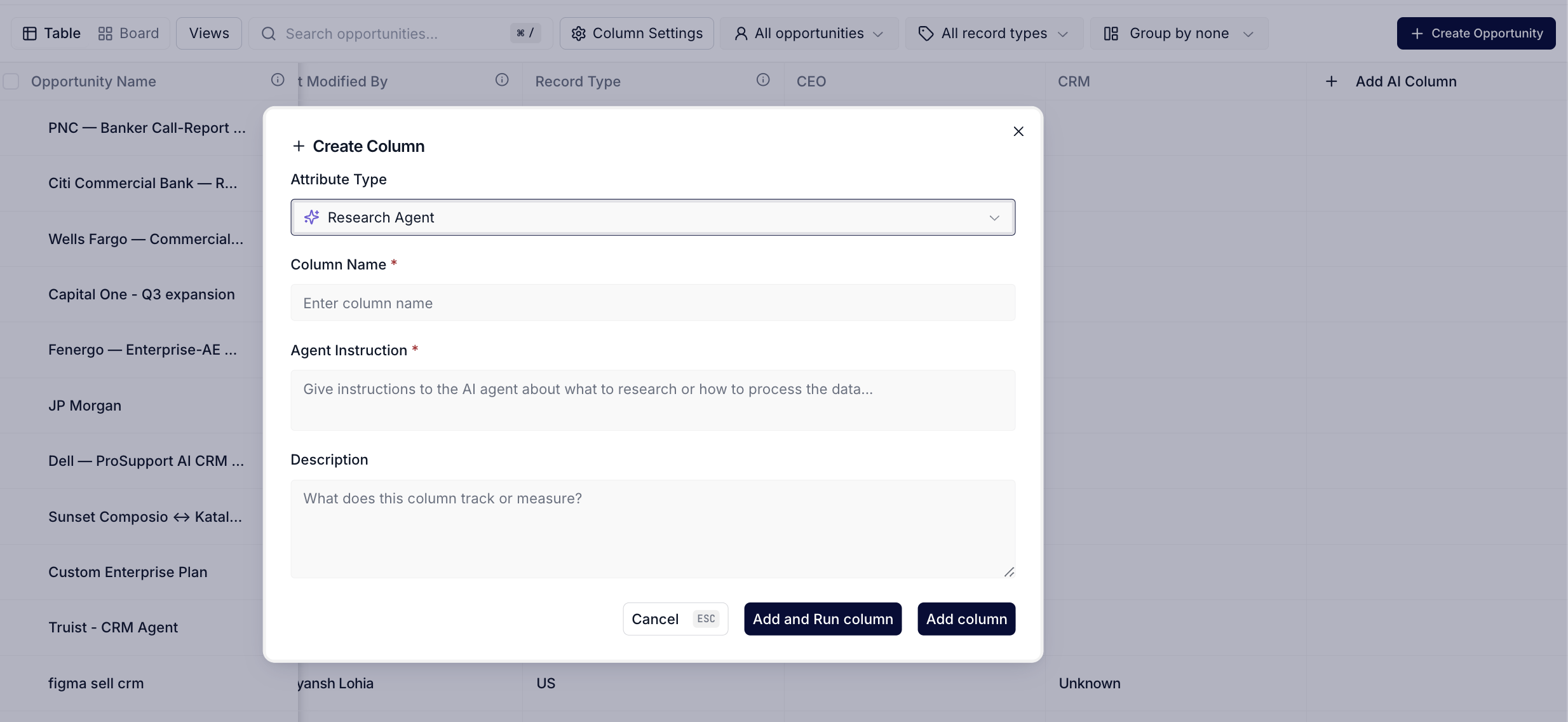
Opportunities toolbar exposes the Views sidebar and column controls used to capture a saved view.
- Save a second view for stage-level work. Filter again, this time to Negotiation and Proposal only, with the same Mine constraint. Save as “Late stage push.” Now you have two named slices: the broad daily scan and the deal-closing focus.
- Star your top 5 to 10 accounts as Favorites. Open each high-priority account, click the star button next to the account name, and the account pill drops into the Favorites section of the sidebar. Do the same for any specific opportunity worth daily eyes. Now those records are one click away from anywhere in the product.
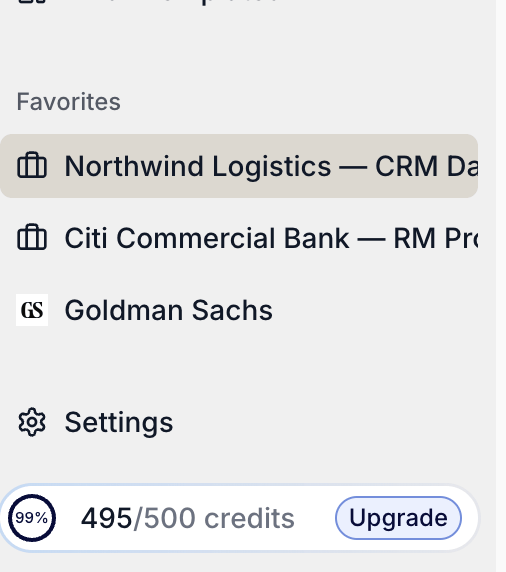
Favorites group in the left sidebar with pinned accounts and opportunities one click away from any page.
- Go back to Home and verify the landing. Do This Now still surfaces the AI’s top three priorities automatically (you didn’t have to configure anything for that). Pipeline stats still shows your hygiene number. Upcoming Meetings still shows today’s calls. The configurable side, Favorites in the sidebar, your saved views one click away on Opportunities, sits alongside the AI side without overlap.
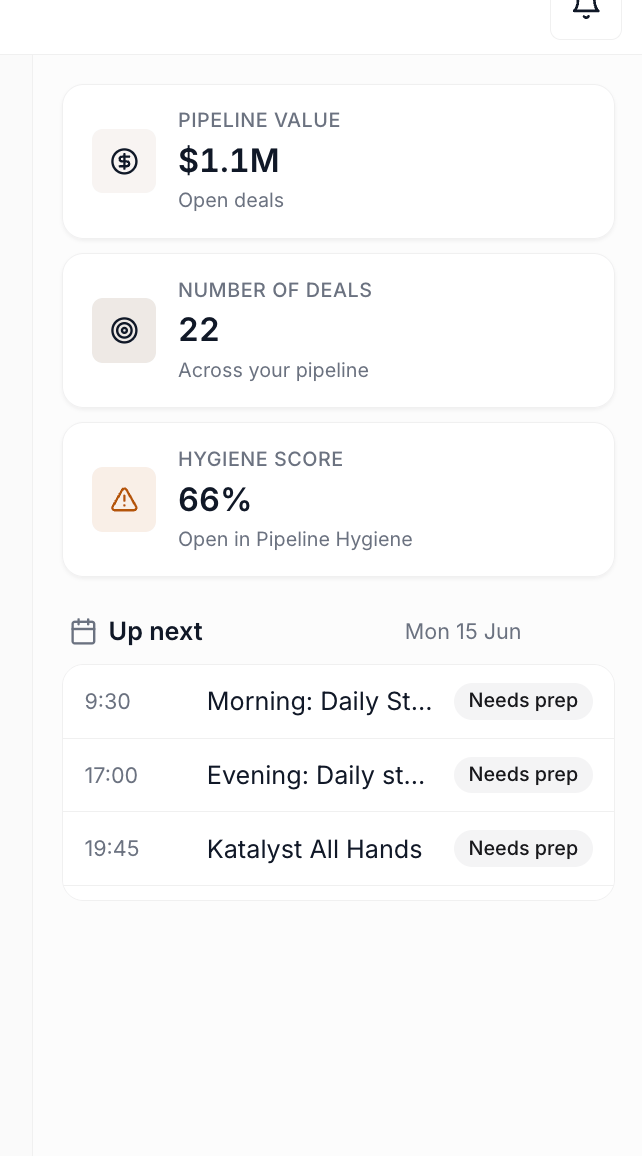
Home with the right-rail insight cards: Pipeline stats, Upcoming Meetings, recent activity.
- Test the rhythm tomorrow morning. Sign in, glance at Do This Now (AI-driven), tap into your “My daily focus” view (configured), and check Favorites for the accounts you owe a touch (configured). The first decision of the day should take under a minute.
What to expect
You spend 12 minutes once and save 5 to 10 minutes every morning for the rest of the quarter. The deeper win is mental: Do This Now handles the “what does the AI think is urgent” question without you configuring anything, while your saved views and Favorites handle the “what do I think is important” question. The two sides of the daily landing are explicitly designed not to fight each other.Variations
- Let the chat build the list as a panel. Asking Home a list-shaped question (“show me my overdue deals”, “which deals are at risk”) returns a ranked panel of deal cards with colour-coded flags rather than prose, which is a faster way to triage than reading. Click any card for the full snapshot.
- Then ask the deal what to do about it. Once a deal is in front of you, “how do I move this forward” returns the single highest-priority move with a one-click action underneath. Ask the chat what to do next on a deal is the dedicated play.
- Keep one thread per deal. Your plan caps conversations per month and messages per conversation, so reusing a deal’s thread is cheaper than opening a new chat every time you revisit it.
- If your book changes shape every quarter (territory shifts, new product mix), redo this setup at the start of each quarter, your saved views are easy to rename or delete from the Views sidebar.
- If you split your day between prospecting and closing, save two distinct views (“Prospecting, no activity in 7 days” and “Closing this quarter”) and Favorite different account sets to match.
- For team leads, your saved views are local to you, but you can teach the same setup to your team in a 15-minute walkthrough so everyone’s morning lands the same way.
Related
- Home - the daily landing surface this play tunes around; Do This Now is the AI side, Favorites and saved views are the configured side.
- Opportunities - the deal-list workspace where the saved views in step 2 and 3 live.
- Pipeline Hygiene - your own hygiene number shows up on Home; this play sets up the configured side alongside it.
- Catch up after PTO - the adjacent morning ritual when you’ve been out and need to reconstruct the week before opening the daily view.
- Monday morning pipeline review - the weekly-cadence sibling; once the daily view is set up, the Monday review runs on top of it.
- Knock out today’s actions in 15 minutes - the action-side pairing with Do This Now once you’ve worked the focus list.
- Start the day with signals - the Signals-side morning ritual that pairs with this focus-list setup.