

Prep for a customer meeting
The play
It’s 1:45 PM and you have a 2:00 PM discovery call with a strategic account. The old prep was 45 minutes across three tabs: Salesforce for the deal stage, Gmail for the last email thread, LinkedIn for the buyer’s role, and a frantic skim of last quarter’s notes. This play replaces that scramble with a 15-minute prep flow that lives entirely inside Katalyst: the pre-meeting brief tells you what changed, the Account Plan refreshes the strategic context, the per-record AI Chat answers the one follow-up question you have, and if the call needs an agenda email beforehand, you draft it from the same surface. You walk in with the buyer’s name, the deal stage, the last touchpoint, and your three discovery questions already top of mind.Step-by-step
- Open the meeting from your calendar. The Meetings tab shows the call on the Coming Up timeline. Click it to open the inline detail panel, the body renders the upcoming-meeting state with the pre-meeting brief at the top.
- Read the pre-meeting brief. The AI-written brief picks a profile shape based on what context the meeting carries: an opp-anchored brief calls out the deal stage, the amount, the close date, the last touch; an attendee-anchored brief leads with persona context. Either way, you get a one-paragraph read on what the call is about and what changed since the last conversation. Two minutes in, you already know more than the old 20-minute prep gave you.
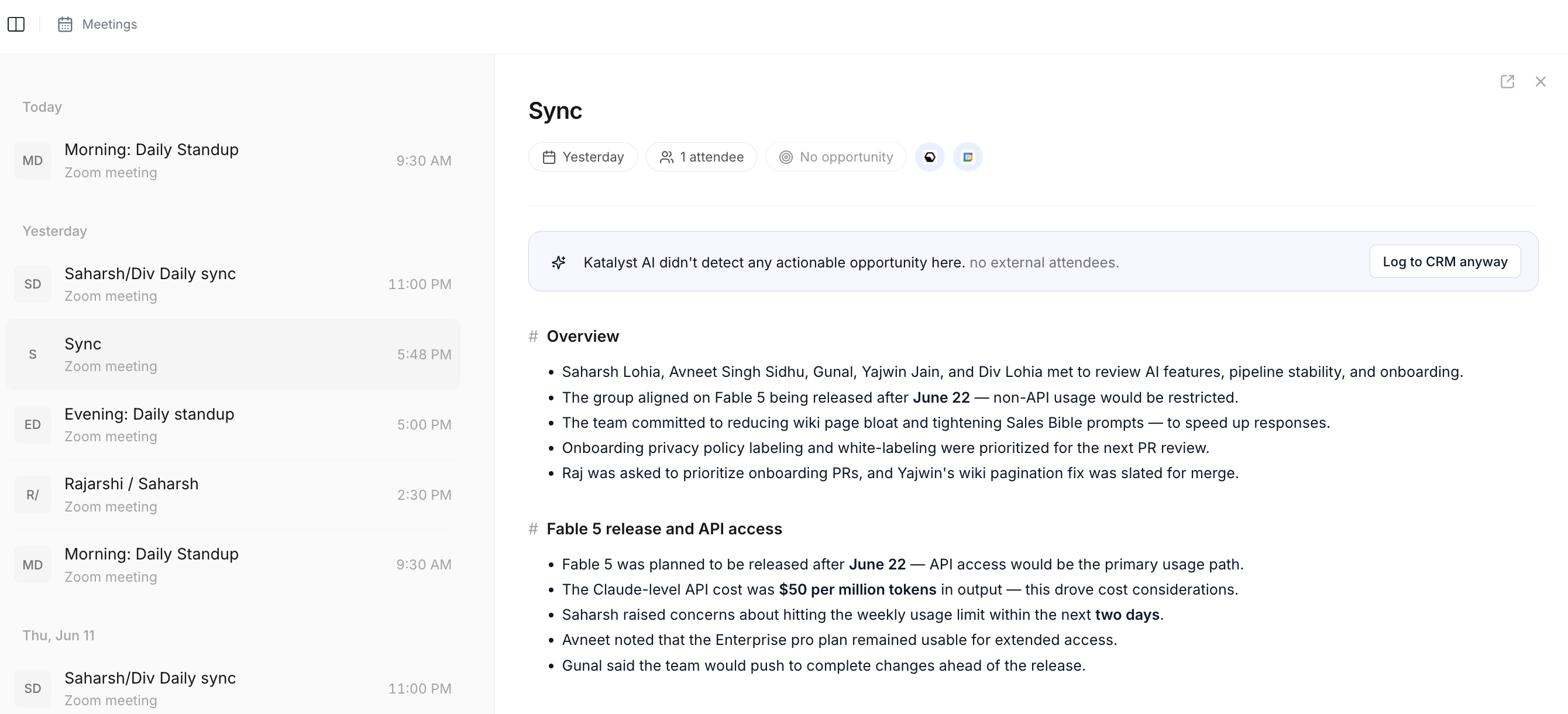
Meeting detail workspace; the Pre-meeting brief surfaces inside this view.
- Jump to the linked account and refresh the Account Plan. Tap the linked-opportunity pill to land on the deal, or open the account directly. Open the Account Plan sub-tab and scan the snapshot card (FIT, ARR, products, competitors) plus the 2 to 3 strategic challenges. If the plan hasn’t been refreshed in a few weeks and the news has moved, hit Refresh plan; a credit-cost prompt warns you what the regeneration will charge before you commit.
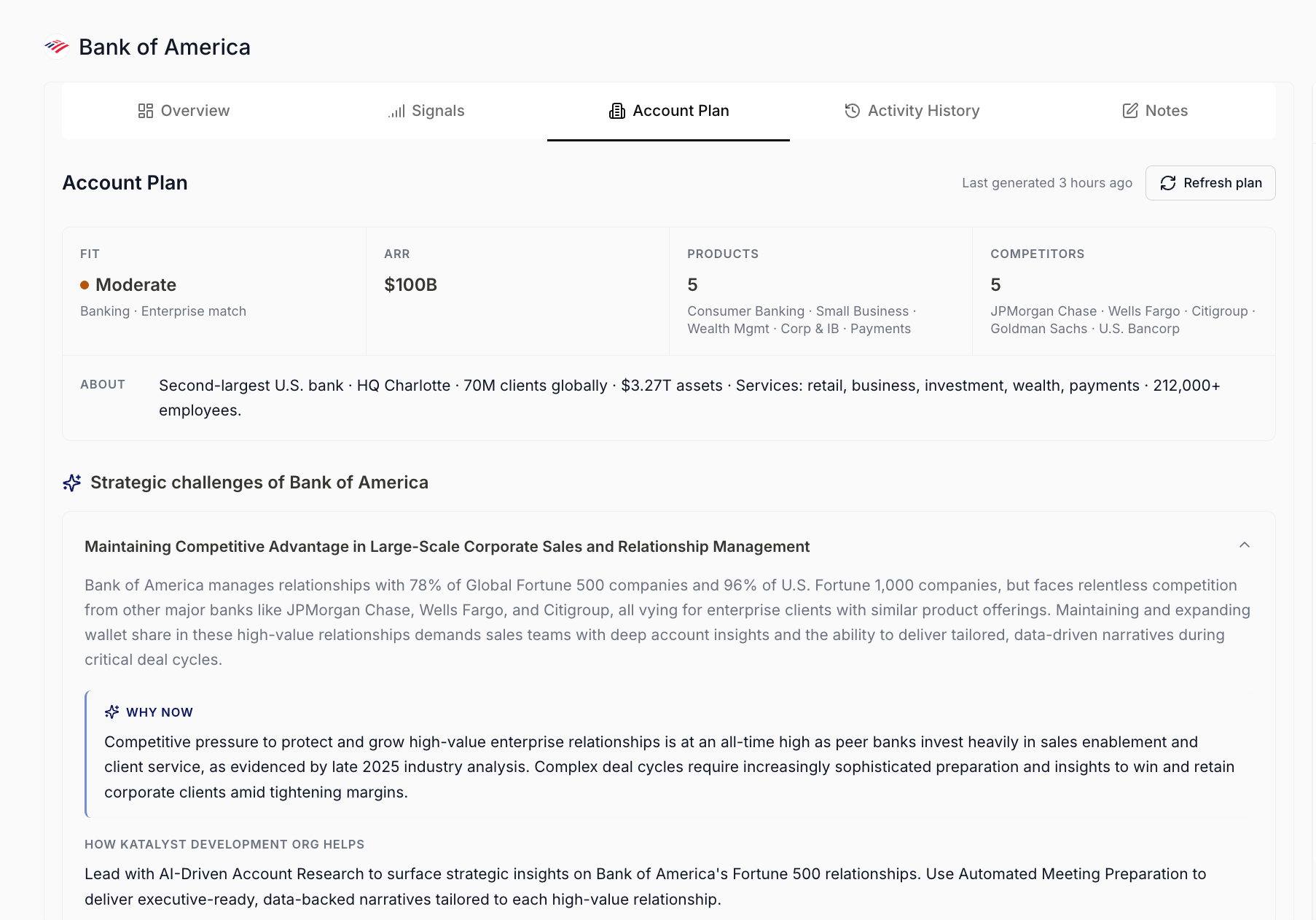
Account Plan sub-tab with snapshot card and strategic challenges.
- Use Per-record AI Chat for one sharp follow-up question. The chat panel on the account or opportunity detail is scoped to that one record and already has the full context loaded. Ask the one question the brief didn’t answer: “What’s their current procurement timeline?” or “Did they push back on price in the last meeting?” or “Who else from their side should be on this call?” The chat reads across signals, meetings, and the deal’s history and answers in seconds.
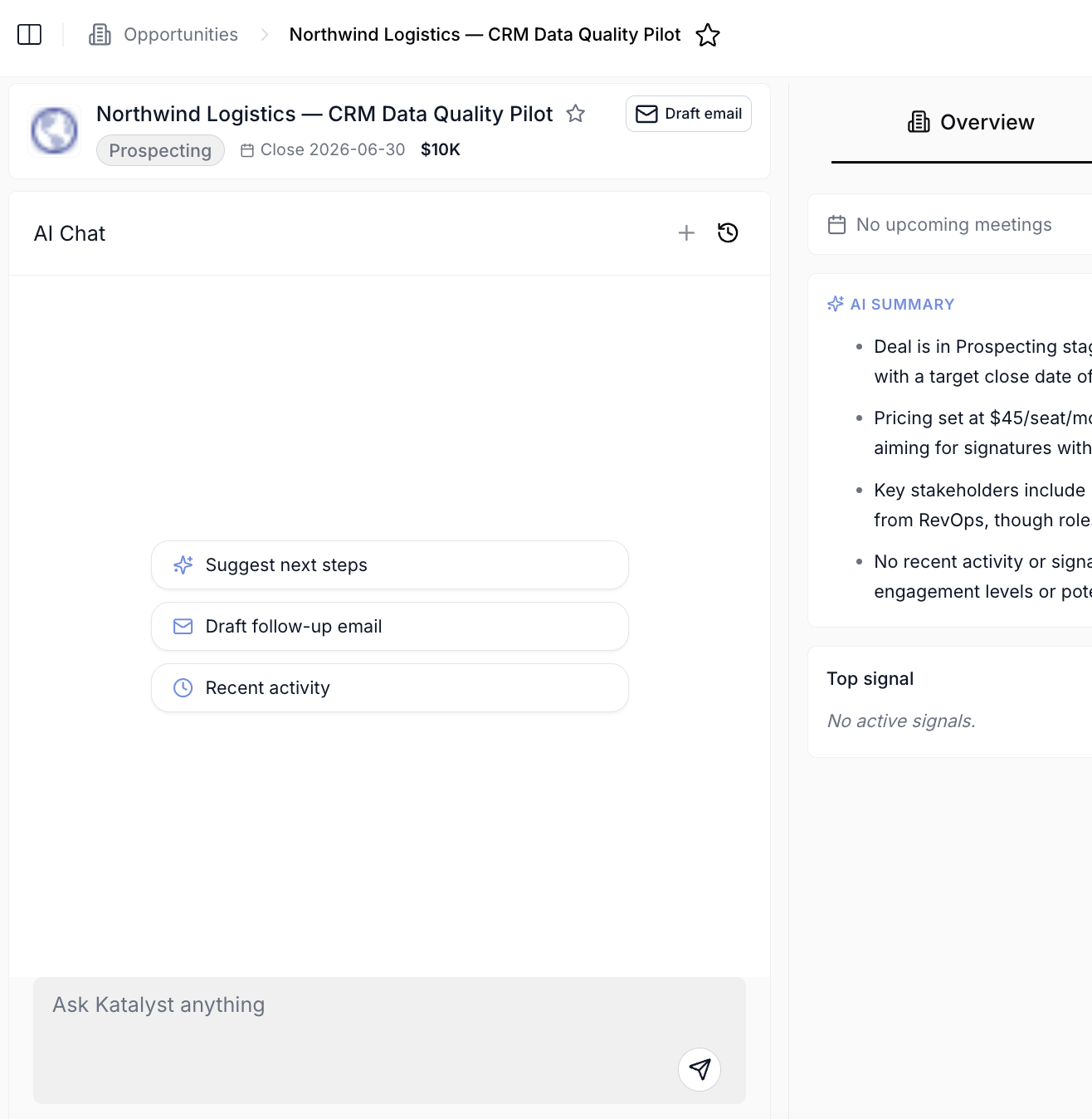
Per-record AI Chat panel scoped to a single Account, Opportunity, Contact, or Meeting.
- (Optional) Use Draft Email Modal to send a pre-meeting agenda. If the call needs an agenda email beforehand, click the Draft Email button in the account header. The modal pre-fills with a sensible prompt; tune it to “Draft a short pre-meeting agenda covering the three discovery topics we agreed to last call” and select the attendees from Key People. Save the draft to Gmail or Outlook drafts; you open your mail client, glance the draft, and send.
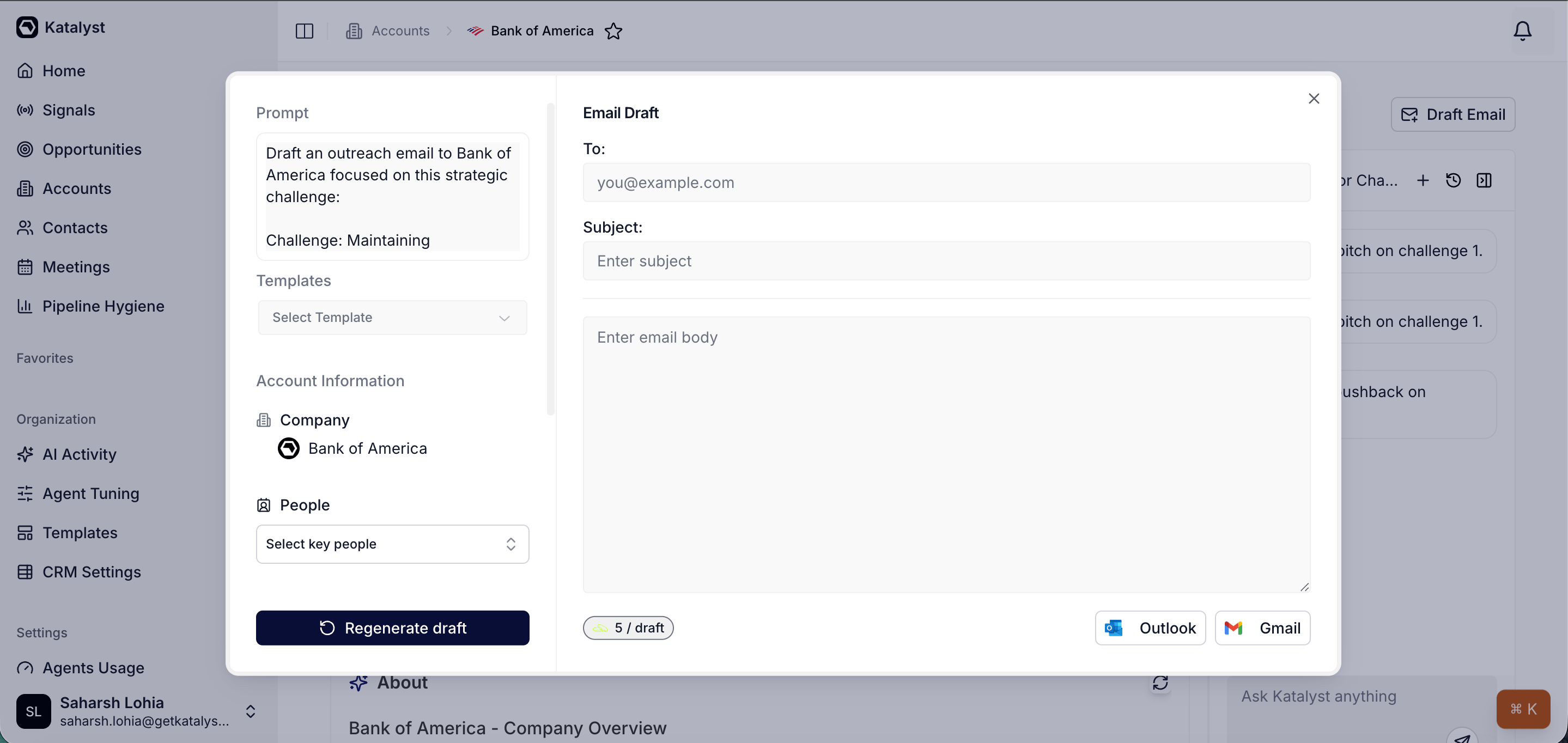
Draft Email modal with prompt, attendee picker, and save-to-drafts action.
- Note your three discovery questions in your head (or in a Notes card on the account). With the brief, the plan, and the chat answer all fresh, write down or memorize the three things you want to learn on the call. The Notes sub-tab on the account auto-saves per keystroke, so a quick scratchpad survives the meeting.
- Walk into the call. Stage in your head. Buyer’s role in your head. Last touchpoint in your head. The agenda either already sent or never needed.
What to expect
Fifteen minutes from sign-in to a prepped meeting, replacing the 45-minute scramble across Salesforce, Gmail, LinkedIn, and your notes app. The bigger win: every prep starts from the brief instead of from a blank page, so you’re never reconstructing context, just refining it. If the call goes long and the next prep is 30 minutes away, the same play compresses to 8 minutes (brief + one chat question + a glance at the snapshot).Variations
- If the call is a quick check-in (not a discovery call), skip the Account Plan refresh and the agenda email; the brief plus one chat question is enough.
- If the meeting is internal (your team prepping for the customer call), open the chat thread the day before and ask it to draft the discovery question set, then everyone on your side walks into the prep meeting with the same starting point.
- For a recurring touch-base, save the per-record chat thread under a name like “Q2 cadence prep, [account]” and reopen it each time, the thread carries the running context so each prep starts where the last one left off.
Related
- Prep for a discovery call - the multi-day deep prep that this 15-minute play caps off.
- Log a call right after the conversation - the post-call play to capture what you learned (for unrecorded calls).
- Recap after a customer meeting - the post-call follow-through play when the Katalyst notetaker recorded the call.
- Send a personalized follow-up email - the play to run after the call to send the recap.
- Draft Email - the canonical home for the composer this play uses for the agenda email.
- Notes - the canonical home for the discovery-question notes you write before the call.
- Meetings - the canonical home for the meeting workspace this play opens in step 1.
- Account detail - the workspace this play centers on.