

Bulk-clean AI Suggestions sweep
A rep opens Opportunities and the table is dotted with volt-lime rings on individual cells: AI Suggestions waiting on a decision. This play is the 10-minute sweep that resolves the rings in one focused pass: bulk-accept the high-confidence ones, drill into the rest to read the AI’s reasoning, accept or reject each, and confirm the table is clean before moving on.What to expect
- Timing. Roughly 10 minutes for a 40-row sweep.
- Prerequisite. A volt-lime ring is visible on at least three cells in Opportunities or the Accounts table. AI Suggestions is on for the org and the rep is the owner on the rows.
- Outcome. A clean table, no volt-lime rings remaining, every suggestion either accepted into Salesforce or rejected with reasoning captured.
Step-by-step
- Open Opportunities and load a saved view. The rep’s daily view, or a stage-narrowed view like “Mine, Negotiation or Proposal,” scopes the sweep to the rows that matter. The volt-lime rings on individual cells flag the AI Suggestions waiting on a decision.
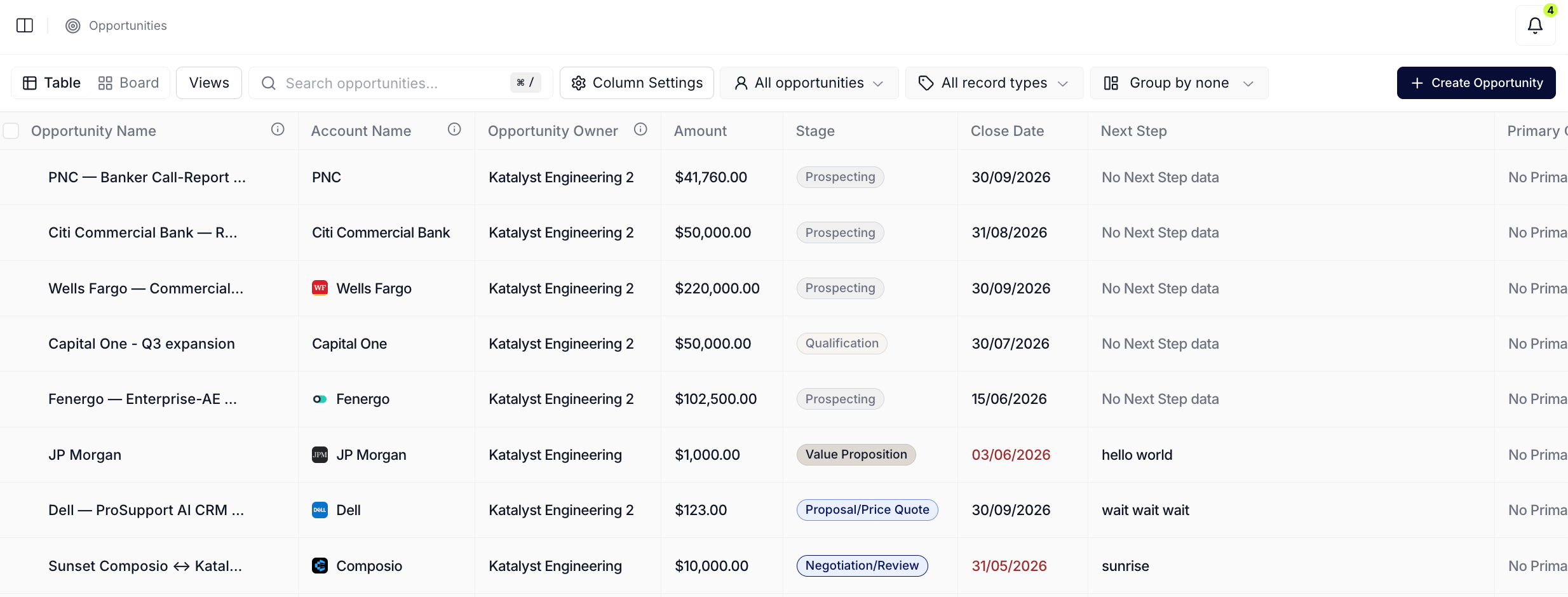
Opportunities table with volt-lime rings on cells where AI Suggestions are pending.
- Scan for the obvious ones. A volt-lime ring on a Close Date the rep already pushed in their head, a Next Step that matches the meeting notes from yesterday, a Stage that’s clearly behind reality, those are the bulk-accept candidates. The rep eyeballs the rings and lines up a mental shortlist.
- Multi-select the high-confidence rows. Check the row-level checkboxes for the deals whose suggestions the rep is confident on. The floating bulk bar appears at the bottom; the suggestion count chip carries the running total of pending AI Suggestions across the selected rows.
- Bulk accept from the floating bar. Click Approve N. The accepts fan out in batches; volt-lime rings on the resolved cells clear in place as Salesforce confirms each write. Failed cells (rare) stay ringed so the rep can retry one-by-one.
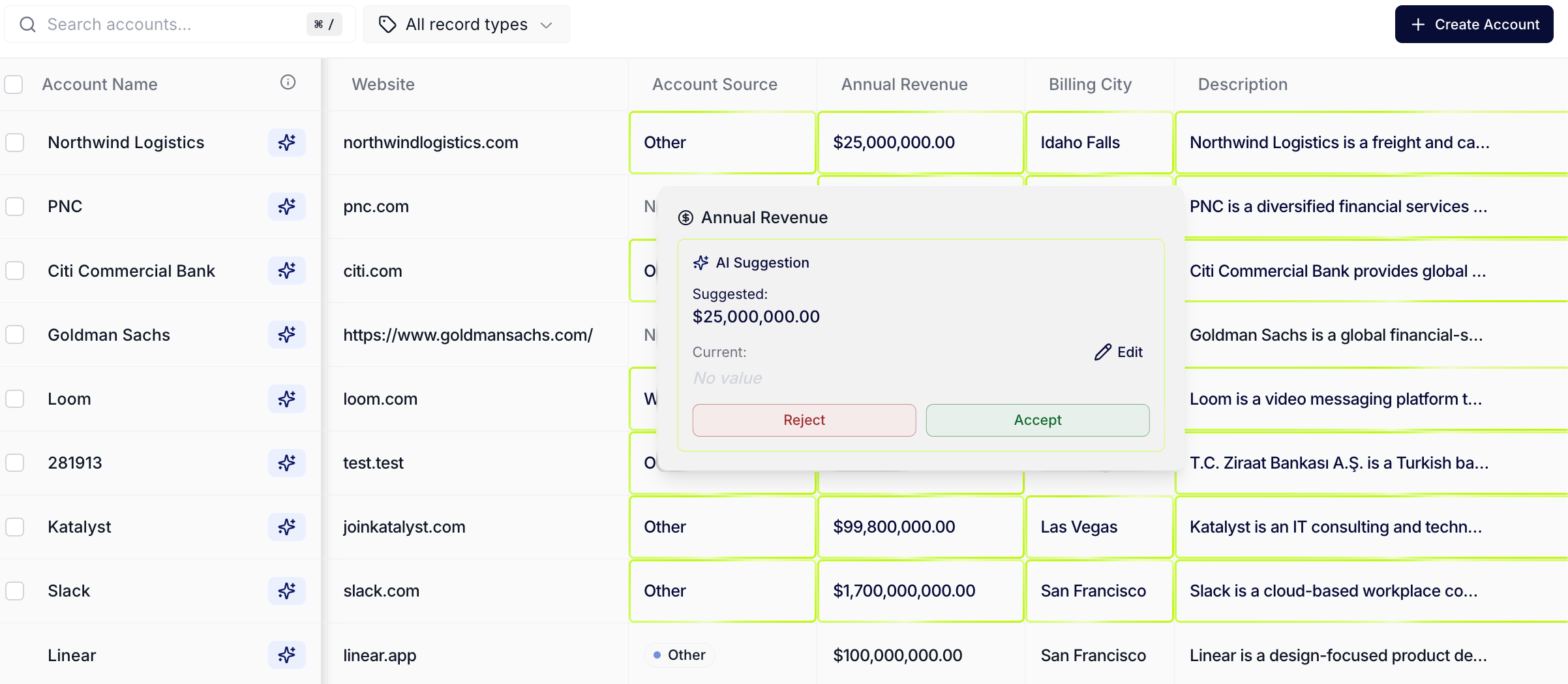
AI Suggestions: the volt-lime ring on a per-cell overlay flagging an AI-proposed update on an Opportunity or Account.
- Drill into the remaining rings. For each cell that still has a ring, click into it. The per-cell modal opens with the proposed change on top (old value to new value) and the AI’s reasoning below. The rep reads the reasoning before deciding.
- Accept or reject one-by-one. For each ringed cell, accept if the reasoning holds, reject if the rep knows better. Accepts write through to Salesforce on the same path the bulk bar uses; rejects clear the ring without writing. Move to the next ringed cell and repeat.
- Confirm the rings have cleared. Scroll the table top-to-bottom. Every cell should be ring-free. If a ring reappears later in the session, it’s a new AI Suggestion that fired against fresh signal data, run the sweep again at the rep’s next sit-down moment.
- (Optional) Flip to Board layout for a final read. Toggle Layout to Board. The kanban view shows currency totals per stage with no per-cell rings (the volt-lime ring is a table affordance); use this view to confirm the deals landed in the right lanes after the bulk accept.
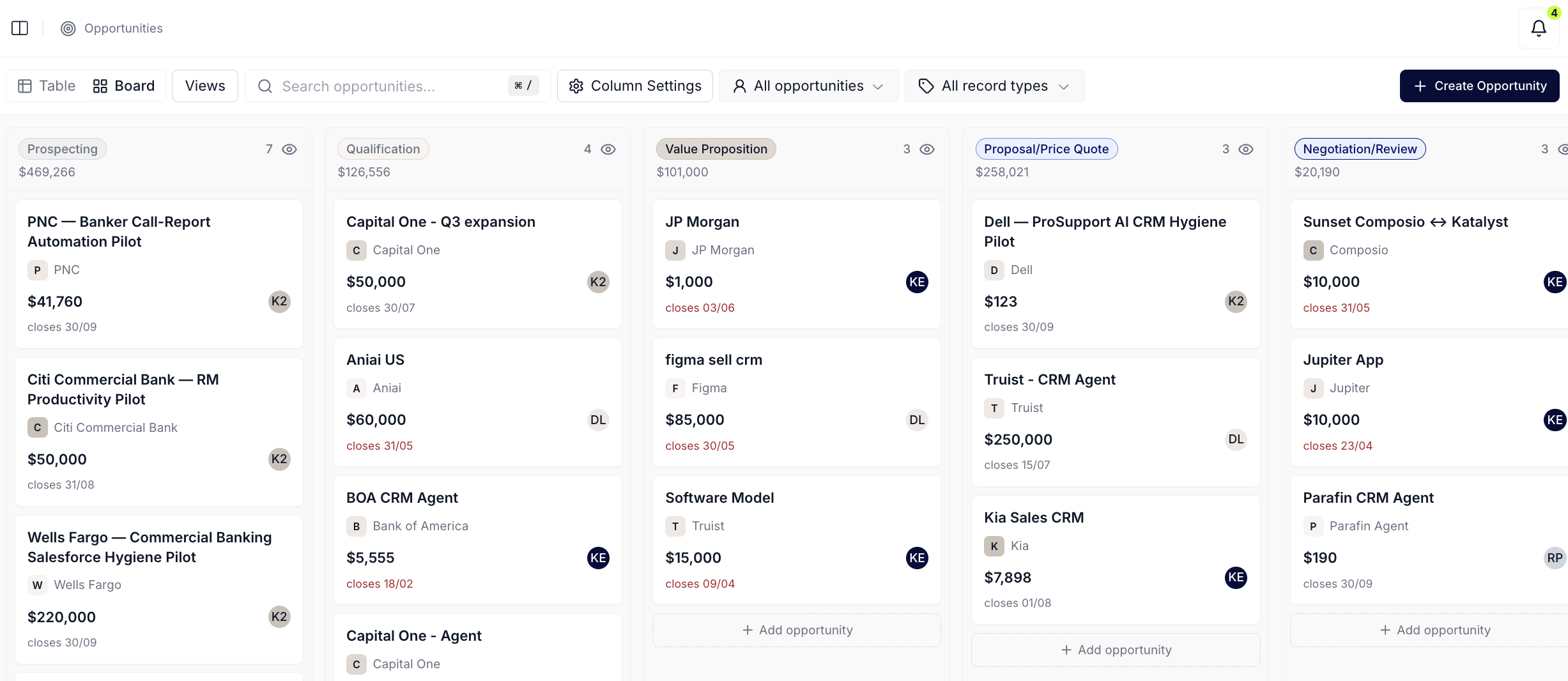
Opportunities Board layout for the post-sweep stage-level read.
Variations
If the sweep is on the Accounts table instead, the affordance is identical: the same volt-lime ring on per-cell suggestions, the same bulk bar, the same per-cell modal. The Accounts sweep usually concentrates on enrichment fields (industry, employee count, segment) and is faster per-cell because the rep is rejecting less. If the rep wants to look at the same pending decisions in inbox form instead of in-context, run Knock out today’s actions and work the Actions queue; same underlying rows, different surface.Related
- AI Suggestions - the per-cell volt-lime ring overlay this play resolves.
- Opportunities - the table the sweep usually runs on.
- Accounts - the other table the sweep runs on, usually for enrichment fields.
- Actions - the inbox-style cousin of this play; same underlying decisions, different surface.
- Knock out today’s actions - the morning batch-decide play that lives in the Actions queue.