

Catch a signal as it fires
A Toast pops in the bottom-right corner of the page. The rep is mid-prep for a 2 PM call, the cursor was on the meeting notes, and now a Signal card is hovering above the CommandK button counting down 30 seconds. The question is not “is this signal interesting” (the morning Signals scan is the surface for that). The question is “is this worth dropping what I’m doing for, right now?” This play is the 1 to 3 minute discipline that answers it without losing the current work.What to expect
- Timing. Roughly 1 to 3 minutes per Toast, several times a day on heavy days.
- Prerequisite. The rep is signed in and working on any page in Katalyst, with at least one signal type enabled and the in-app channel on in settings so toasts can fire. A Toast just popped in the bottom-right.
- Outcome. A fast in-the-moment decision: stay on the current task (the Toast clears itself or gets dismissed in place), or context-switch deliberately (a Note dropped, a Draft queued, a triage made) without losing the original train of thought.
Step-by-step
- Glance at the Toast for three seconds. The Toast renders in the bottom-right corner of the viewport, above the CommandK button. The category icon on the left and the title line tell the rep at a glance which signal type fired and on which account. For a standard-tier signal, a volt-gradient countdown bar at the bottom shows 30 seconds ticking down; for a high-stakes notification, the border is warning-tinted and the timer is 5 minutes. Three seconds of attention is enough for the call.
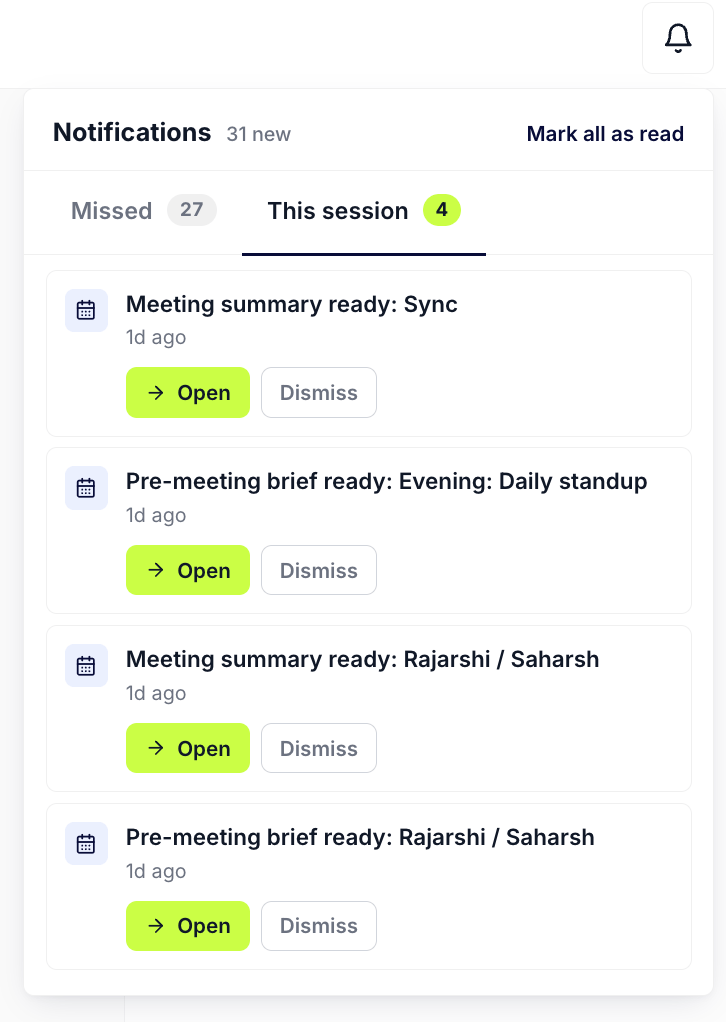
Notification Bell in the top-right; the Toast deck shares state with the Bell, so anything popped also lives in This session.
- If low-priority, let it auto-dismiss. For a routine signal (a low-score hiring update on a tier-3 account, a partnership announcement on an account the rep is not actively working), no action is the right action. The Toast clears itself at the 30-second tick and the row persists in the Bell’s This session tab for later review. The rep stays on the current task. Hovering pauses the timer if more than three seconds is needed for the glance.
- If high-priority, click the Toast to expand the Signal Card in place. For a signal that looks like it might matter (a funding round on a deal mid-negotiation, an executive change on a champion’s account, a 10-K filing on a strategic enterprise), click into the Toast. The Signal Card expands with the score badge, the AI relevance line, the longer AI summary, the suggested next steps, and the source link.

Signal card expanded in place: score, type, relevance, summary, source link, accept.
- 30-second triage from the card. Three paths, same as the morning ritual but faster. Accept the signal (the check icon archives it and clears the Toast and the Bell row at once), drop a Note on the account naming the signal and a one-line read so future-self does not re-derive the call, or click through to Account detail for the deeper context the in-place card cannot give. The 30-second budget is firm; if the call needs more, push it to a sit-down moment.
- If the call is “research-in-place,” ask Per-record AI Chat. The fastest middle path: drill into the account from the Toast or the Bell row, open the Per-record AI Chat, and type the one-line question: “A [signal type] signal just fired on this account, does it change my next move on the open opportunity?” The chat is scoped to the account and answers with a named hypothesis and a concrete action. This keeps the context-switch tight: into the chat, out with a decision, back to the original task.
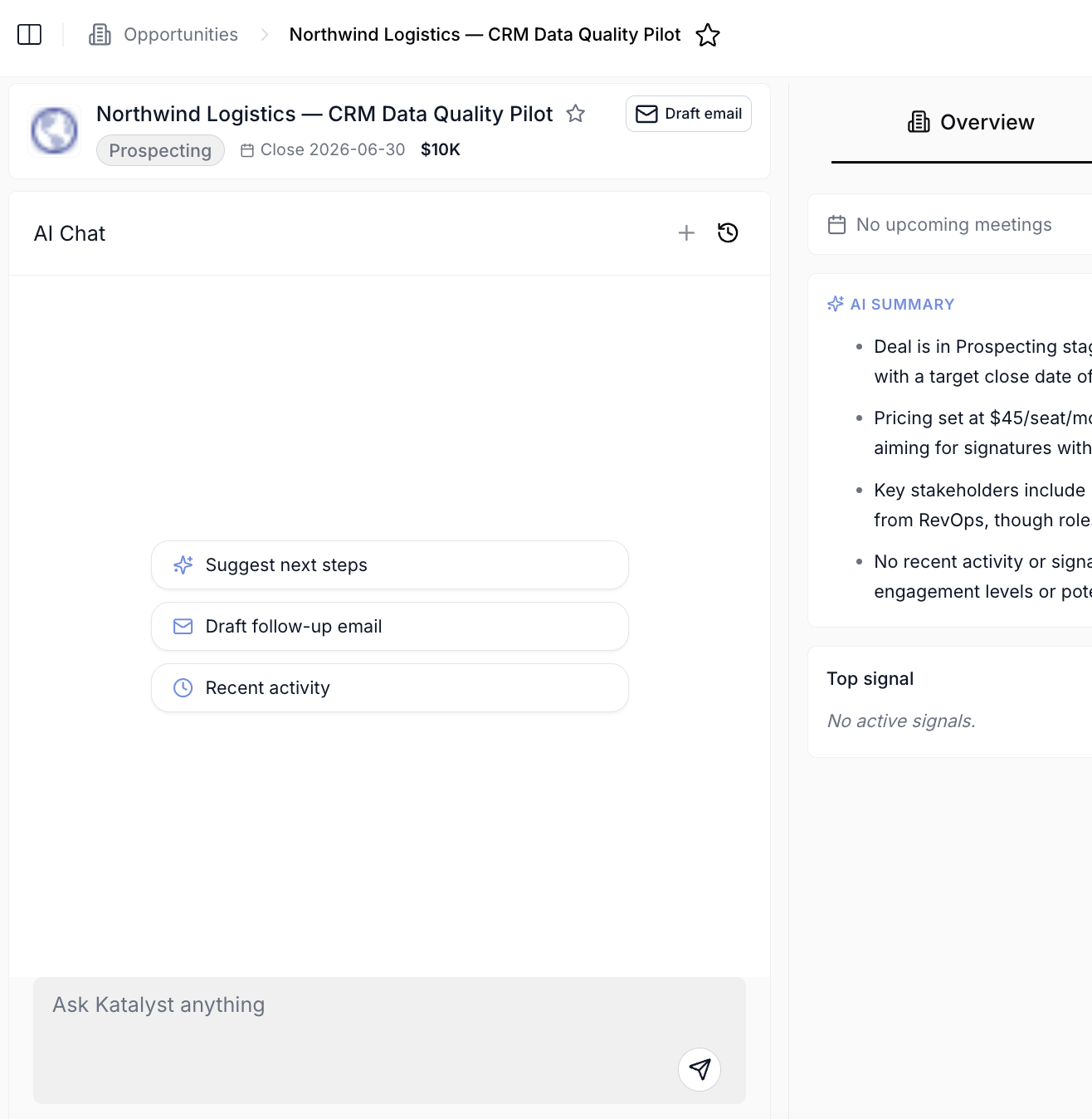
Per-record AI Chat scoped to the account, the fastest research-in-place path from a Toast.
- Return to the original task. Whatever was happening before the Toast popped is still there. The Bell still carries the row in This session if the rep wants to revisit later. The morning Signals scan and the dedicated Triage from the notification bell play are the catch-up surfaces if the live triage was a “no, not now.”
Variations
- The toast waits for you now. The countdown pauses whenever you switch tabs or go idle and resumes when you return, so a toast that fired while you were in a meeting is still there, still counting, when you sit down. The old worry, that the thing needing a decision expired at an empty chair, no longer applies.
- Let Your Move do the triage. The card carries the recommended play, the reason it is timely, and a Take action button that opens the assistant already holding the signal. On a high-priority toast this collapses the 30-second triage into one click, because the “so what do I do” step is already answered.
- Anything you dismiss comes back. High-priority items you never resolved re-surface as toasts later while you are working, capped at two at a time. Dismissing clears the interruption, not the item.
Related
- Triage from the notification bell - the sit-down catch-up play for everything that was let-through during focus blocks.
- Start the day with signals - the morning ritual that complements this play: the catch-up if no toast was acted on overnight.
- Research from a fresh signal - the deeper play when the live triage decides “yes, but I need 10 minutes.”
- Notifications - the cross-cutting surface this play lives on (Toast deck and Bell).
- Signals - the underlying feed; every Toast in this play is a Signal Card.
- Draft Email - the composer the act path hands off to.
A dedicated screenshot of the Toast deck (
toast-notifications.png) is pending. When it lands, it should anchor step 1 in place of the Bell image, and a second Frame in step 4 should show the high-stakes warning-tinted Toast variant.