

Recap after a customer meeting
A recorded customer meeting just ended; the Katalyst notetaker captured it and the AI has already drafted a Post-meeting Action Plan: the Salesforce field updates, the follow-up draft email, the new Activities, and (when the conversation moved a deal) the account or opportunity write the meeting implies. This play walks that plan top-to-bottom, accepts the rows that read right, tunes the one that needs editing, dismisses the one that doesn’t fit, fires the plan, and confirms the writes round-tripped in Activity History. About 10 minutes, end-to-end, and the meeting is fully closed out before the next call starts.What to expect
- Timing. Roughly 10 minutes.
- Prerequisite. A recorded customer meeting that just ended (within the last 30 to 60 minutes), with the Katalyst notetaker on it so the transcript, summary, and Post-meeting Action Plan all generated automatically. The linked account or opportunity in Salesforce is wired so the writes have somewhere to land.
- Outcome. The Post-meeting Action Plan reviewed and fired: Salesforce field updates landed, the follow-up draft email is in Gmail or Outlook, the new Activities are queued, and Activity History confirms every write went through.
Step-by-step
- Open the meeting from the Meetings tab. Land on the Meetings tab from the side nav (or follow a notification directly into the meeting). The Past meetings list shows the recorded meeting at the top with the enriched state badge; click it. The center pane fills with the meeting workspace: header pills (date, attendees, linked opportunity, transcript source), the Post-meeting Action Plan card up top, the recommendations block below it, and the AI summary and transcript underneath.
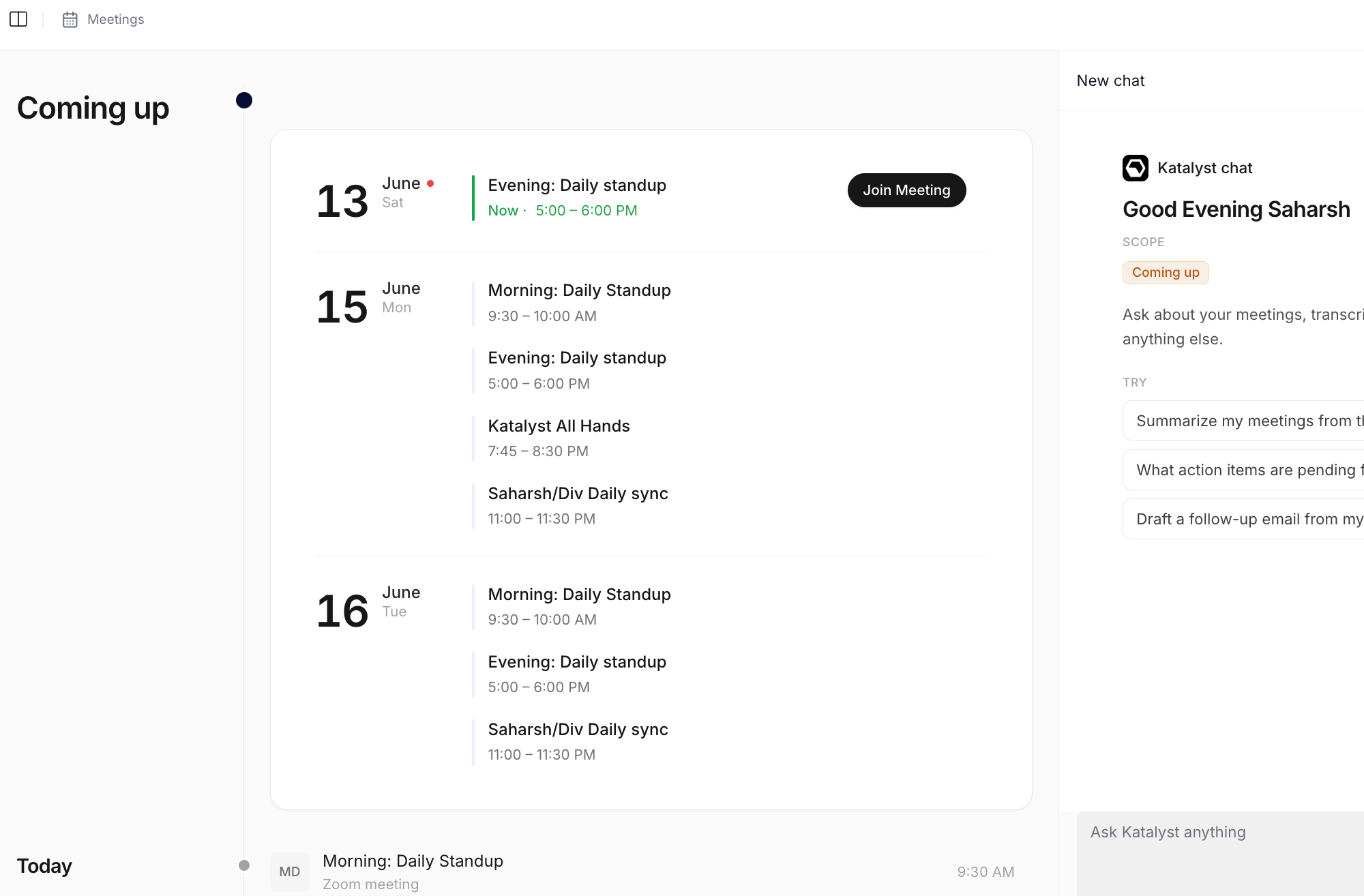
Meetings tab; the just-ended recorded meeting sits at the top of the Past meetings list with the enriched badge.
- Read the Post-meeting Action Plan. The card renders at the top of the meeting body with the navy hero band and a dynamic headline naming what the AI concluded happened: a new opportunity it drafted, an existing deal the meeting belongs to, or a contact set it wants to attach. Read the headline, then the reasoning passage underneath. The plan is what the AI thinks the meeting changed in CRM, with the evidence it used to decide. Two or three sentences is usually enough to see whether the read is right.
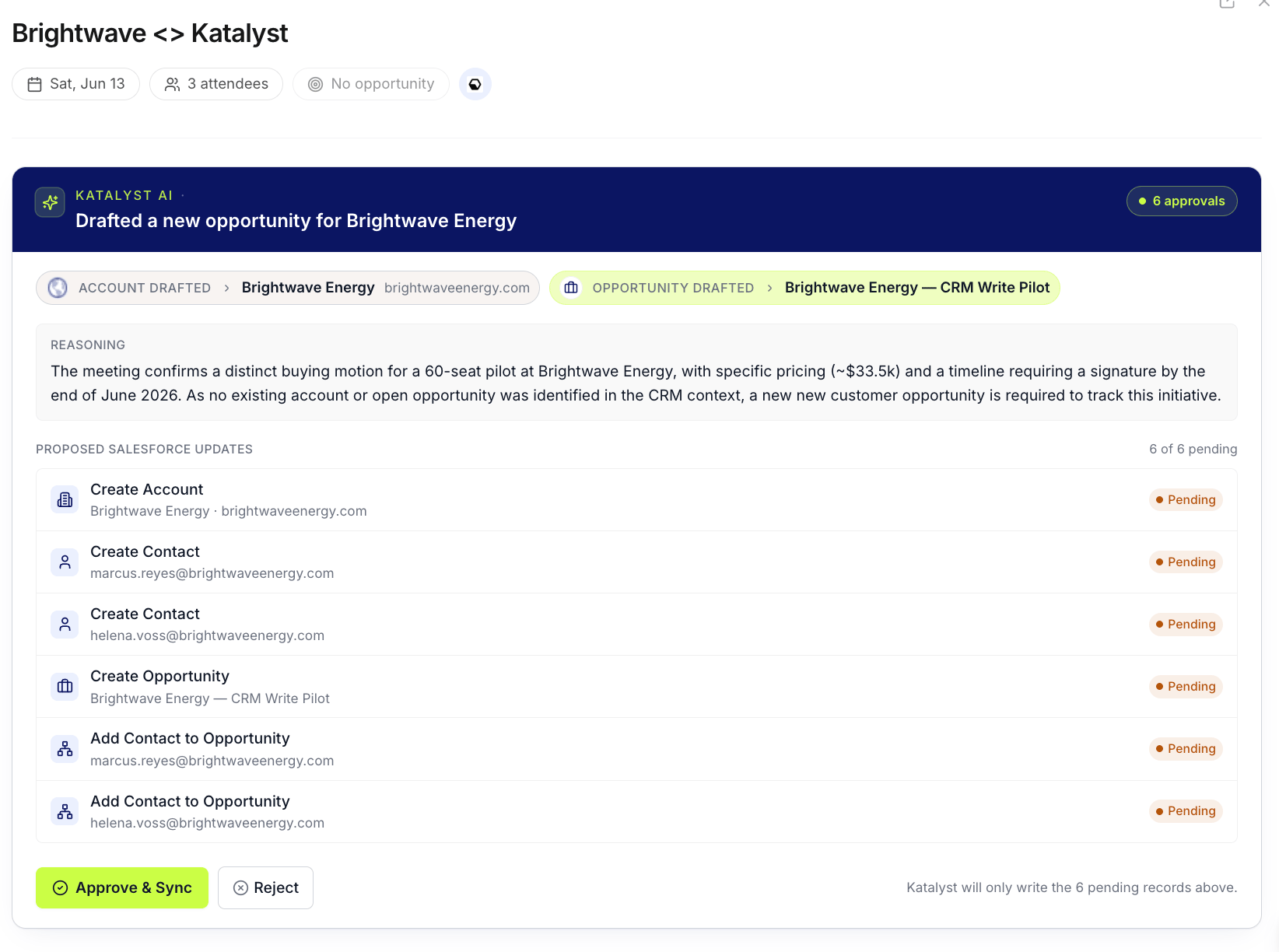
Post-meeting Action Plan card at the top of the meeting workspace, with the dynamic headline naming the AI's read of the conversation.
- Walk the recommendations block underneath. Below the Post-meeting Action Plan card sits the Katalyst Actions block: a queue of per-meeting recommendations in three shapes. Field updates propose specific Salesforce writes on the linked opportunity or account (Next Step, Stage, Close Date) with the previous value and the AI’s reasoning. Email drafts are the follow-up the AI thinks the rep owes, with recipients and key points pre-filled. Activities are Salesforce Tasks or Events with subject and body. Each row carries an Accept and a Reject affordance.
- Accept the no-brainers in bulk. For the recommendations that read right (the Next Step update that matches what the rep said in the call, the follow-up email to the attendees), accept them one at a time. Each accept fires the write: field updates land in Salesforce, email drafts open the Draft Email modal and save to Gmail or Outlook, Activities create Salesforce Tasks or Events. The card demotes the accepted row to the done bucket; the queue narrows to the rows that still need attention.
- Edit the one that needs tuning. One recommendation usually needs a small change: the draft email’s tone is too formal for the prospect, the Stage update is one step too aggressive, the activity subject is generic. Open the row, edit the field or the prompt, regenerate or save. The edited version replaces the original; accepting fires the corrected write rather than the AI’s first draft.
- Dismiss the one that doesn’t fit. Reject any recommendation that’s off: a field update on a column the rep doesn’t trust the AI on yet, a follow-up email to an attendee the rep wants to handle personally, an Activity that duplicates one they’d already logged manually. Rejected rows demote to the bottom of the queue with the rejection state visible, so the audit trail stays intact.
- Fire the Post-meeting Action Plan. Back on the top card, click Approve and Sync (when the AI was confident enough that no review was needed) or Review and Sync (when the AI flagged ambiguity: multiple matching opportunities, contacts it couldn’t place). The card flips from the static queue into a live timeline; each Salesforce write ticks through executing then executed, in place, without a page reload. Any failed step exposes a Retry affordance on the row.
- Confirm in Activity History. Open the linked account or opportunity from the meeting header’s opportunity pill. Click into the Activity History sub-tab. Every write from the Post-meeting Action Plan and the recommendations block should be there as a row with the action type, the timestamp, and the status. This is the closing receipt: the meeting is fully captured, every write round-tripped, and the audit trail is durable.
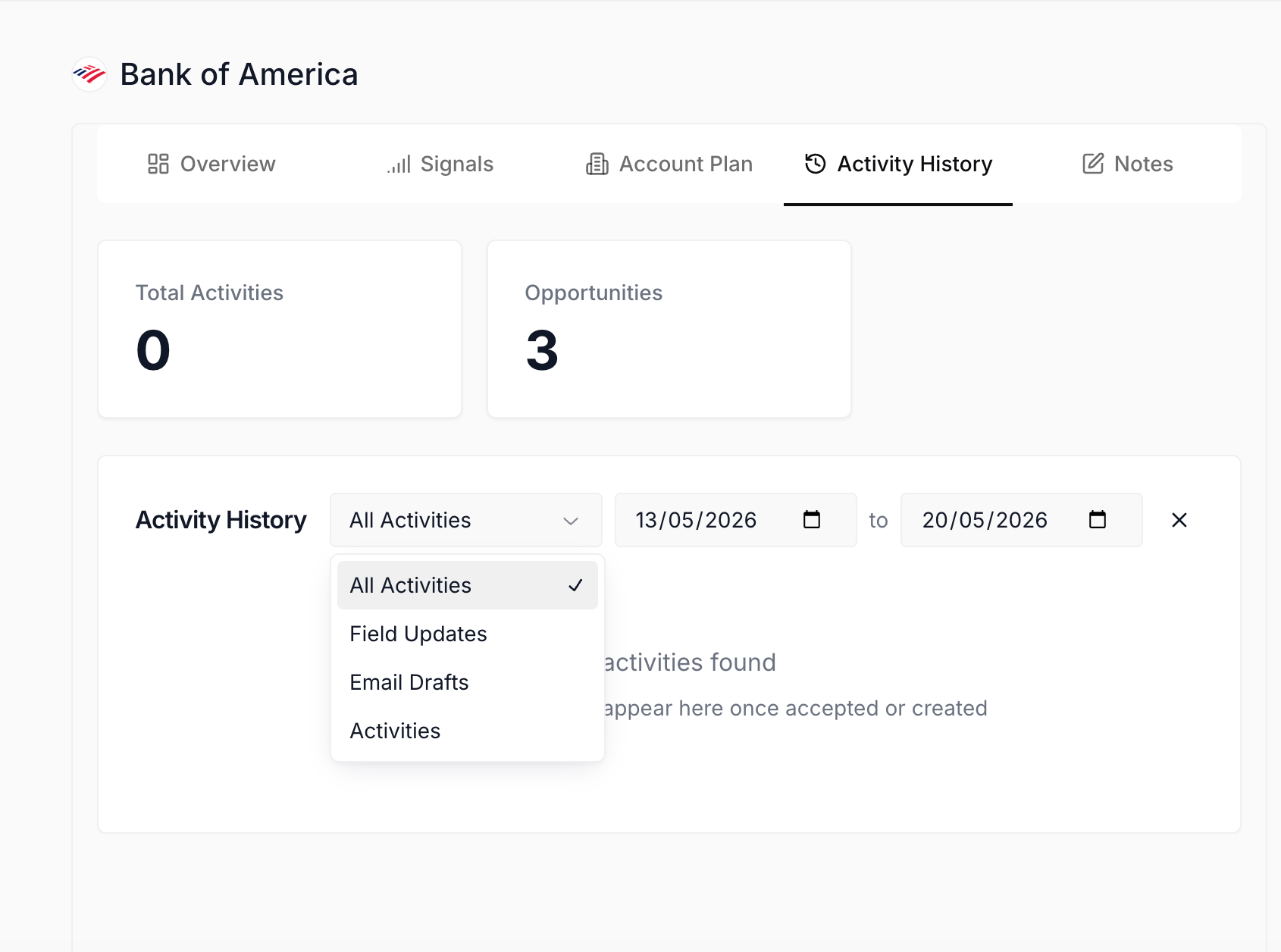
Activity History sub-tab on the linked account or opportunity; every accepted recommendation and every Post-meeting Action Plan write lands here as a row with status and timestamp.
Variations
If the meeting wasn’t recorded (a phone call, a Zoom without the Katalyst notetaker on it, an in-person sit-down), the Post-meeting Action Plan and the recommendations block never generate; run Log a call right after the conversation instead, which handles the manual Notes plus single Action plus optional draft flow. If the AI concluded the conversation didn’t move a commercial initiative (a routine check-in, an internal sync that ended up on the customer calendar by mistake), the Post-meeting Action Plan card renders the muted “no actionable opportunity here” note instead of the full plan; the recommendations block underneath may still have a row or two worth running, but the top card is informational, not actionable.Related
- Meetings - the surface this play opens from.
- Post-meeting Action Plan - the AI flow this play centers on.
- Activity History - the audit trail this play ends in.
- Log a call right after the conversation - the manual cousin for unrecorded calls.
- Confirm Salesforce sync end of day - the closing-time play that verifies every write from today landed.
- Prep for a customer meeting - the pre-meeting sibling to this play.